Creators
Short videos. Big ideas.
Keep the thread of your story for vlogs, Reels, TikToks and YouTube videos.
The teleprompter app that follows your voice.
For iPhone, iPad, Android phones and tablets · Join early access
Read · Record · Control
One teleprompter app for reading, recording and steering the script, built for iPhone, iPad and Android.
Let the script follow your voice, hold a steady words-per-minute speed, or finish exactly on time. Set the text size, colour and eye-line until it feels effortless.
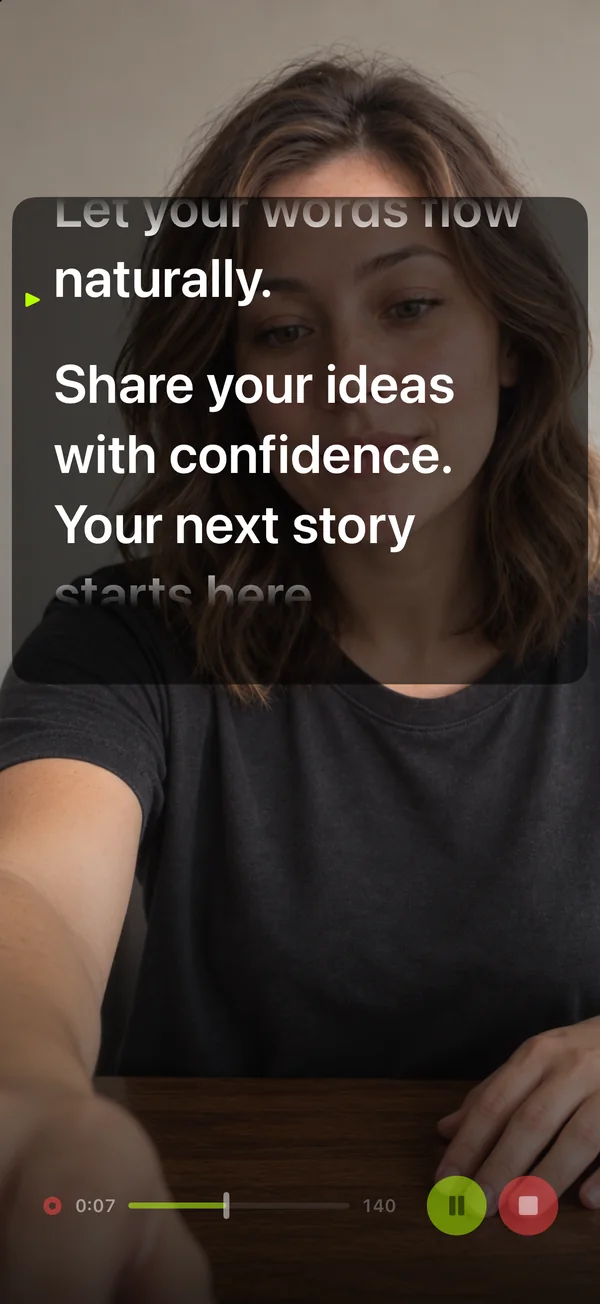
Keep the script right next to the camera while you film. The prompter box moves and resizes, and the finished video has no prompter text and no watermark.
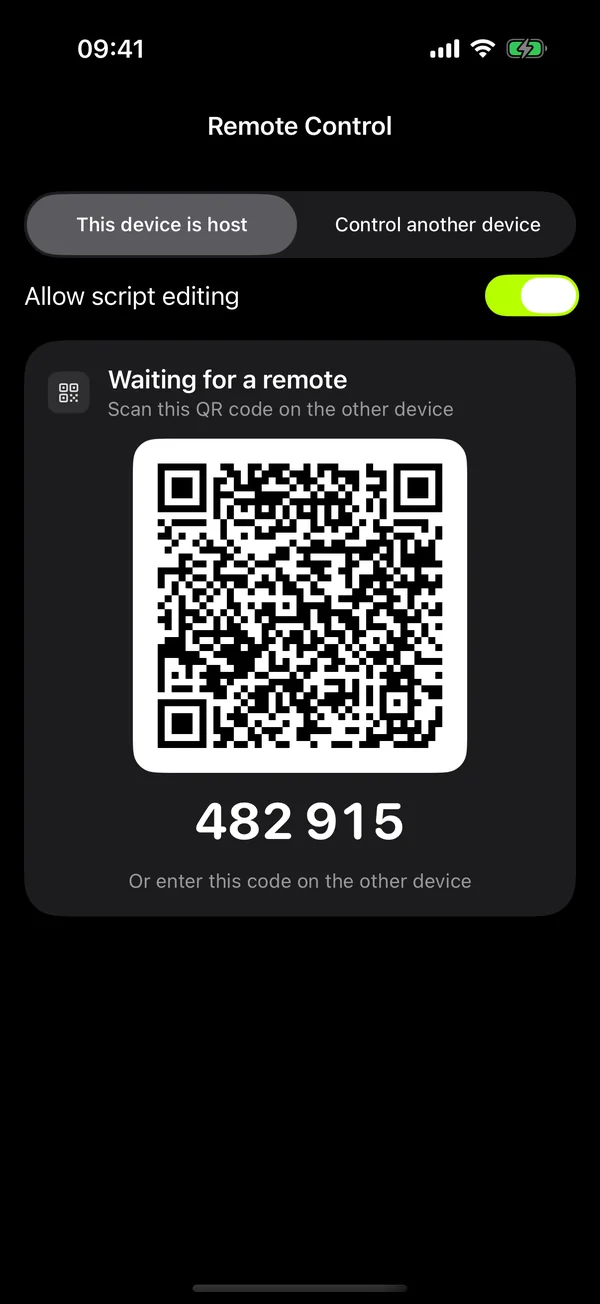
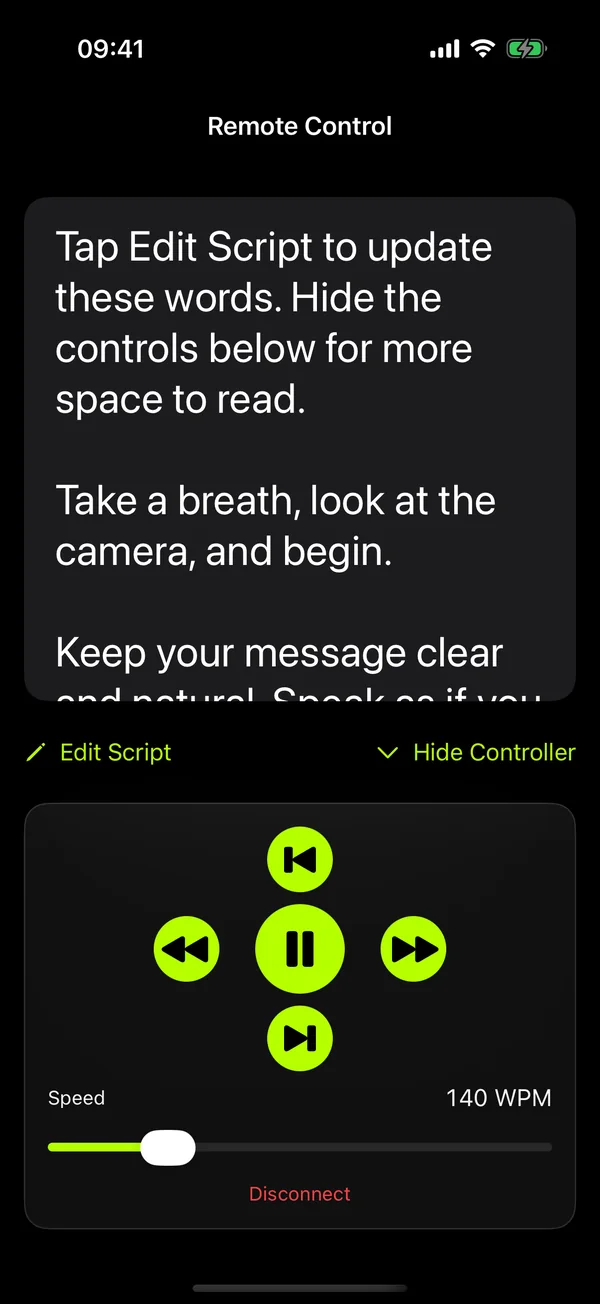
Turn a second phone or tablet into the remote. Pair by QR code, then play, pause, change speed or jump between paragraphs while you stay on camera.
Features
Voice-activated scrolling, teleprompter remote control, mirror mode and video recording, plus the details that make a long take easier.
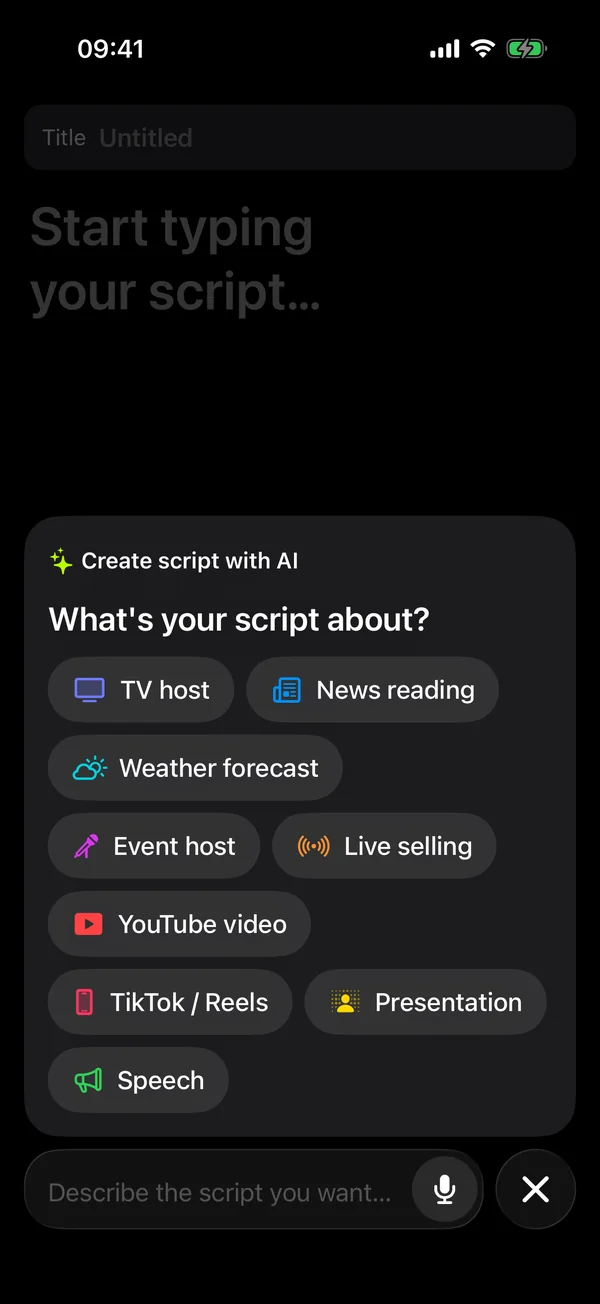
Start a new script and tap a topic such as TV host, news reading, weather forecast, live selling or a YouTube video, or describe what you need in your own words. The draft opens in the editor so you can edit it before saving.
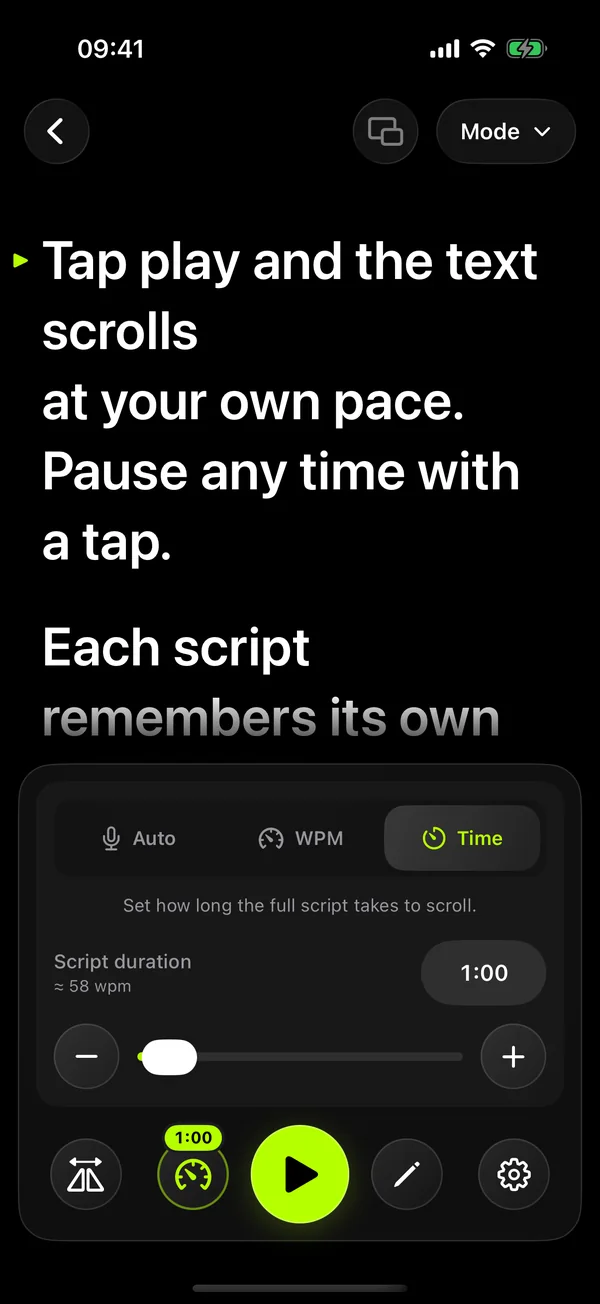
Set a duration and the whole script scrolls to finish exactly when the clock runs out.
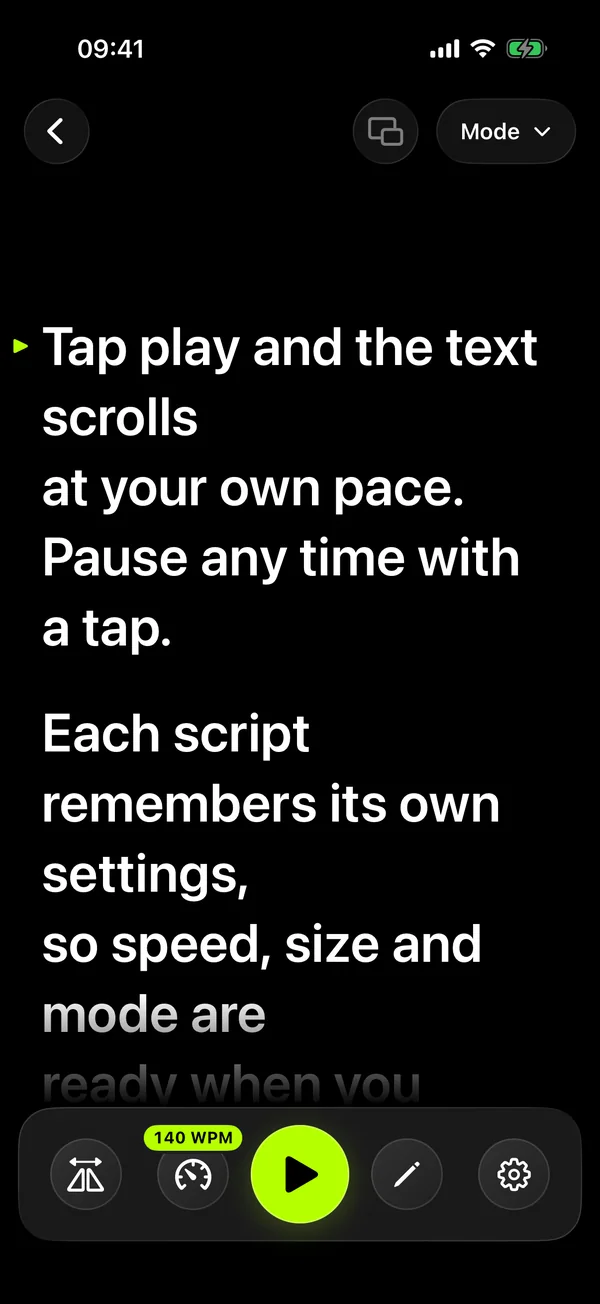
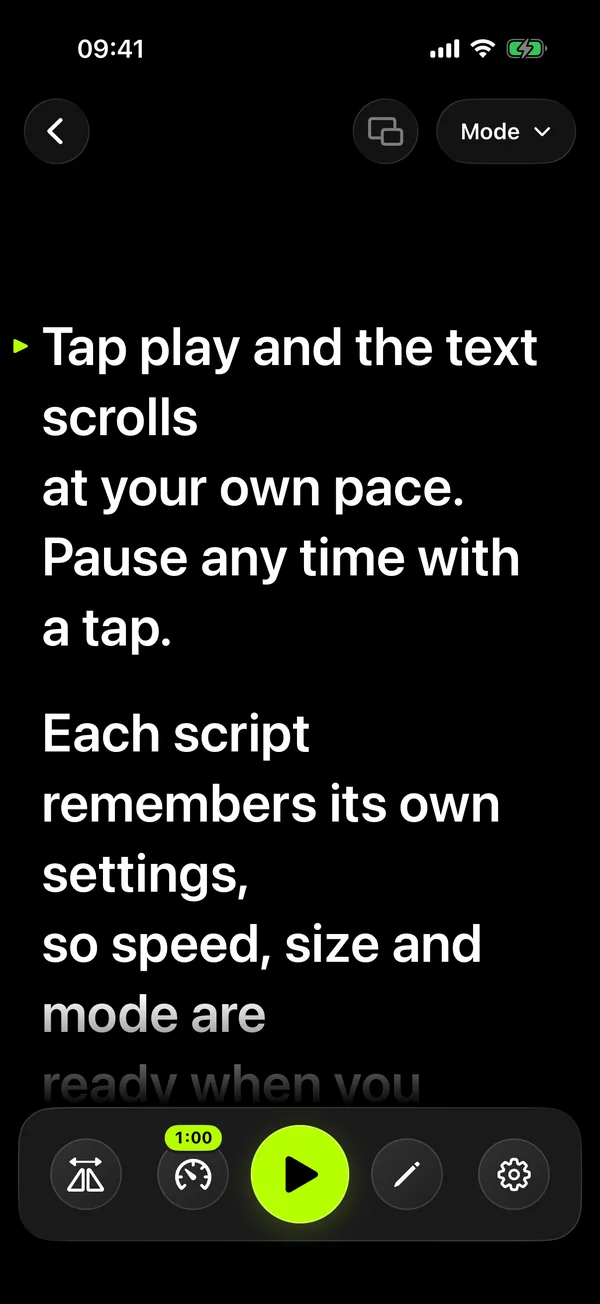
Pick a speed from 60 to 240 words per minute, or type your own, and the script scrolls evenly.
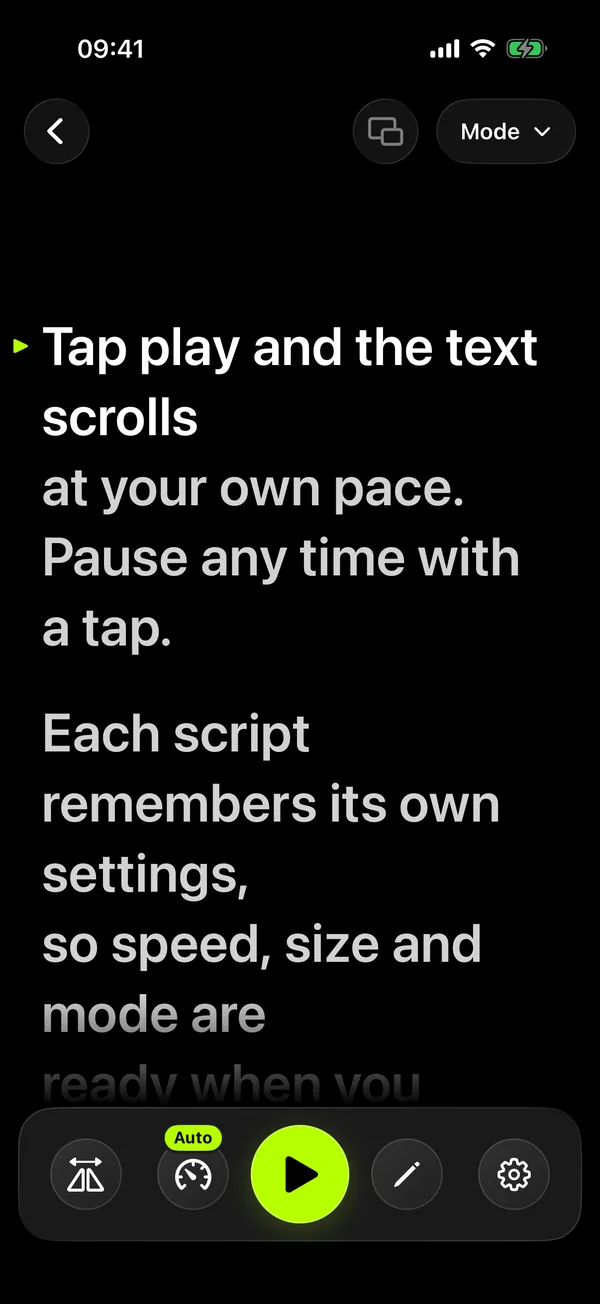
The text follows where you are speaking. It keeps your place when you skip a passage or ad-lib, stops when you go quiet, and you can tap any word to jump there.
Film with the front or back camera while a movable prompter box sits over the preview. Voice scrolling works while you record.
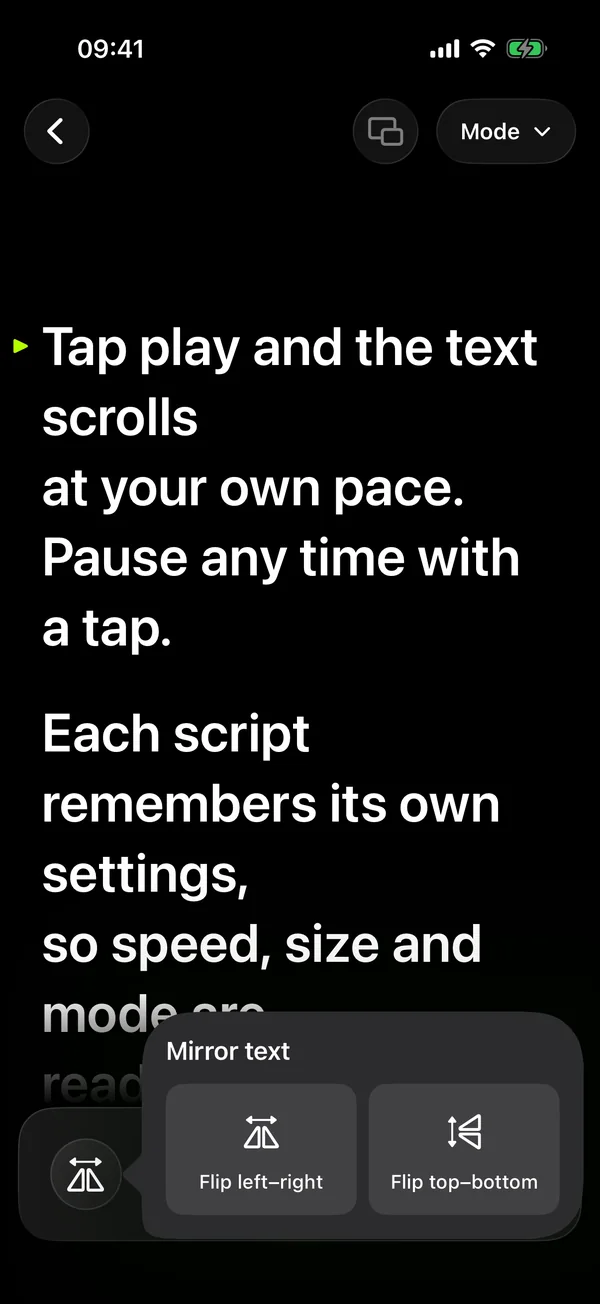
Flip the text left–right, top–bottom or both so it reads correctly through beam-splitter glass.
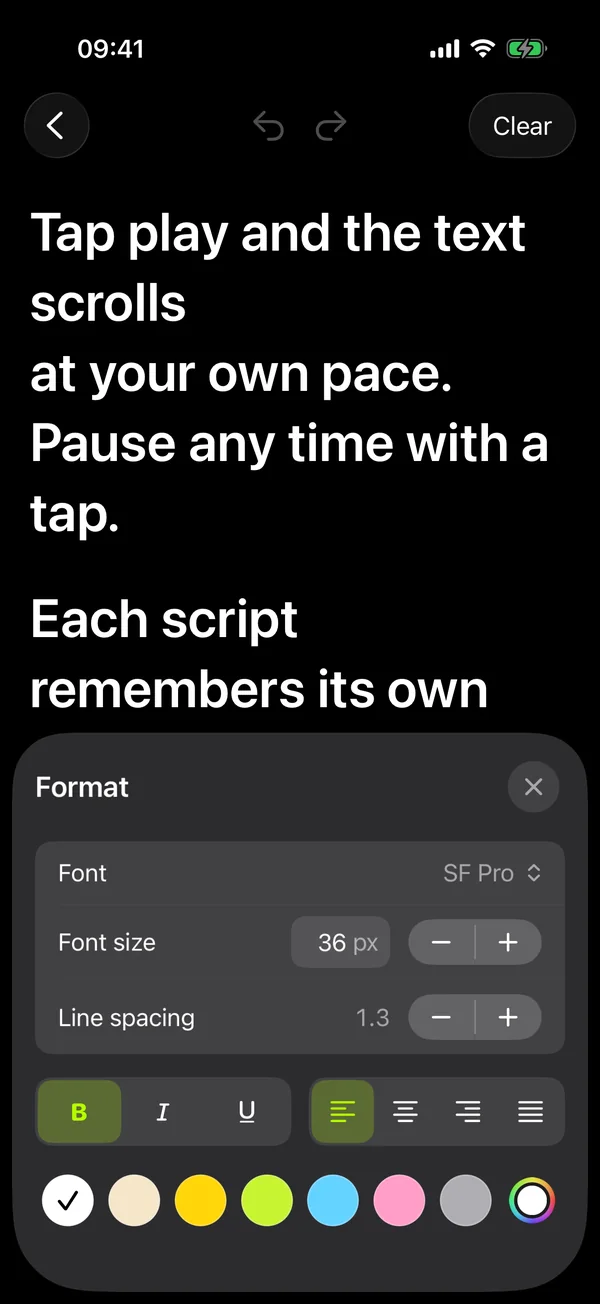
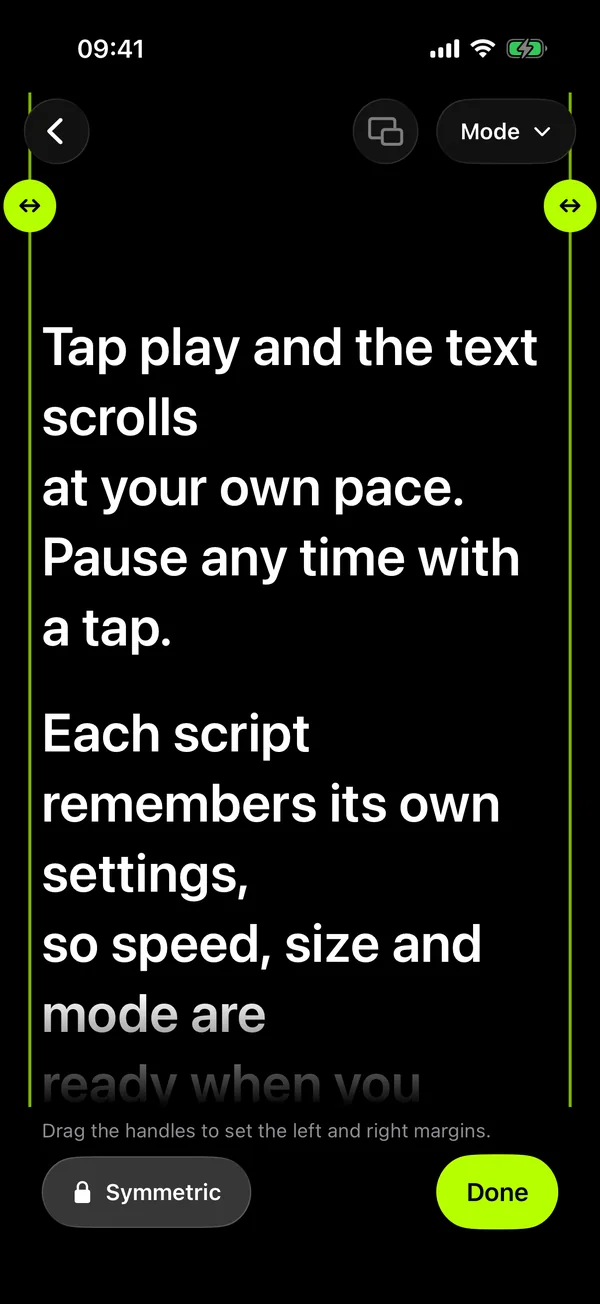
Choose a font, text size from 20 to 200, line spacing, colour, bold, italic, underline and alignment, for the selection or the whole script.
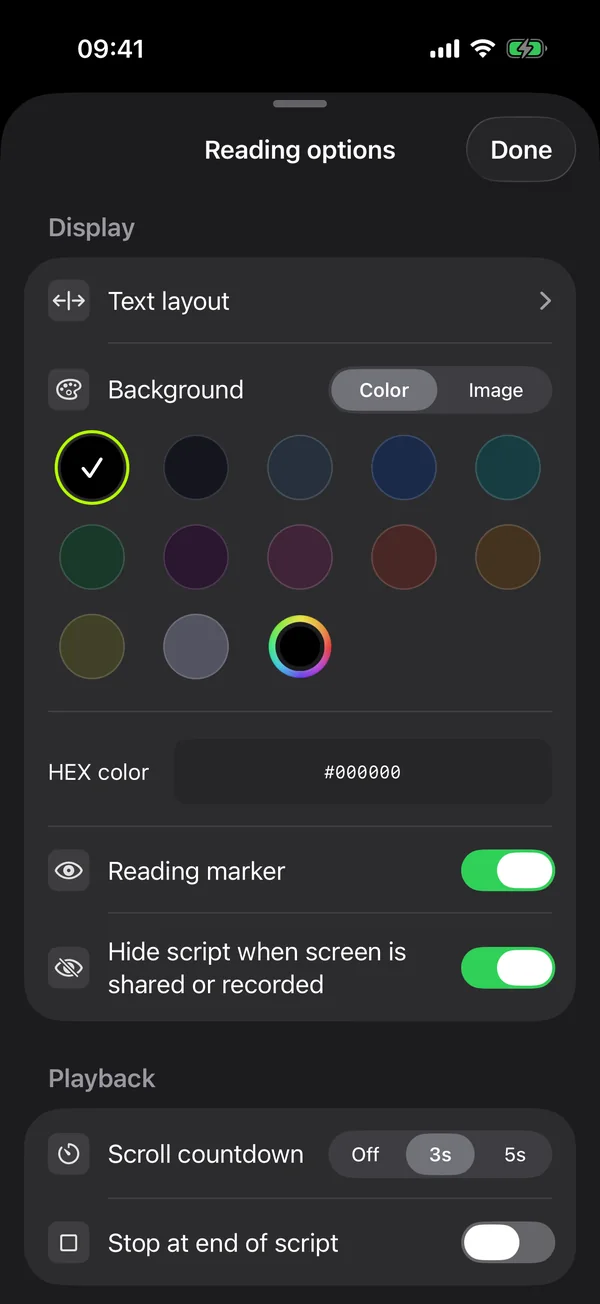
Pick a background colour or your own image, drag the eye-line to where you look, and add a countdown before you start.
Pair another phone or tablet by QR code or a 6-digit code. It mirrors the script and lets you play, pause, change speed, swipe to scroll or edit the text. The link is end-to-end encrypted and works over Wi-Fi with no internet needed.
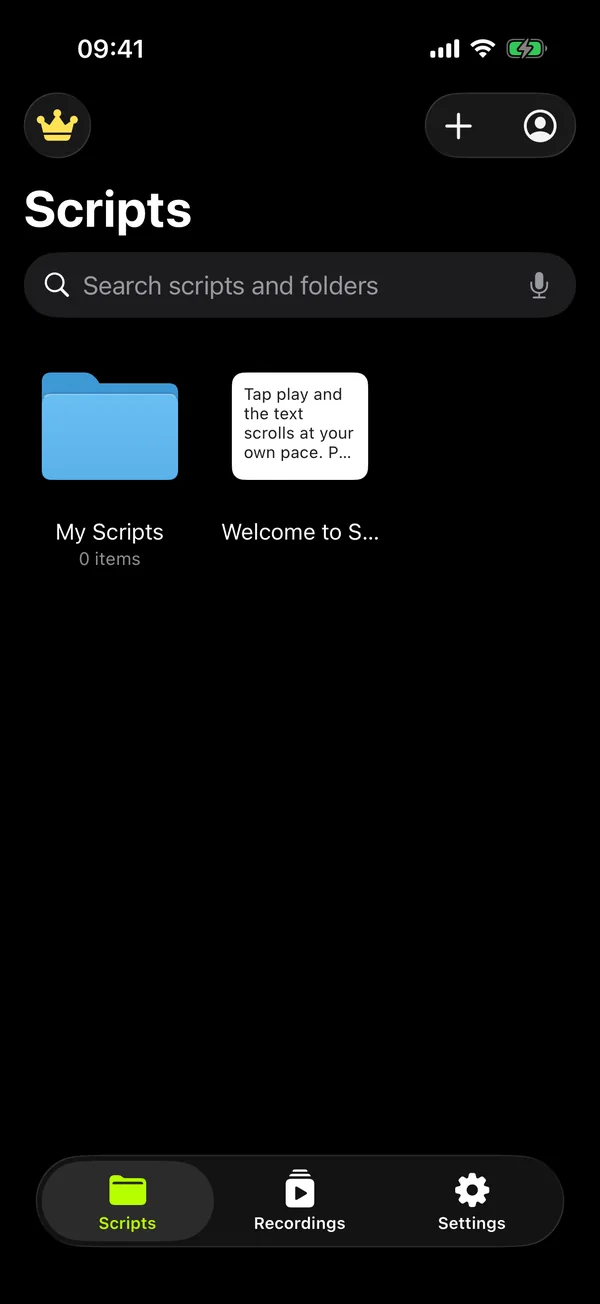
Nested folders, drag and drop, and search across titles, script text and folder names. Import TXT files or whole folders.
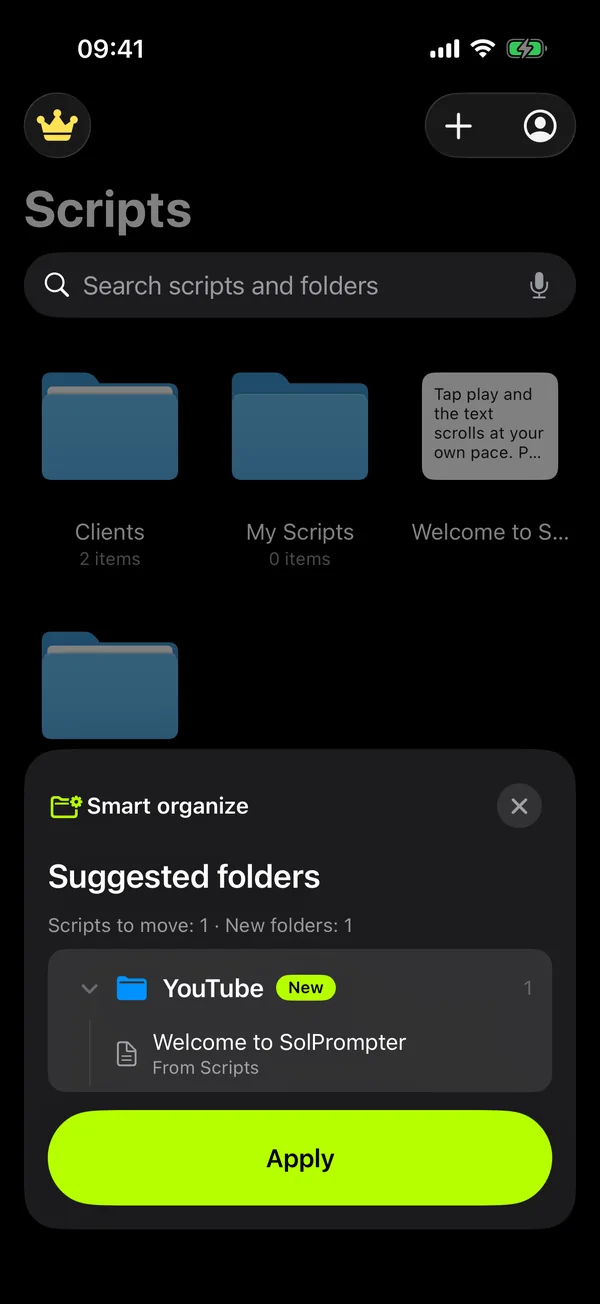
Smart organize groups your scripts by topic and suggests new or existing folders. Preview the folder tree first; nothing moves until you tap Apply. It only reads each script’s title and first 200 characters.
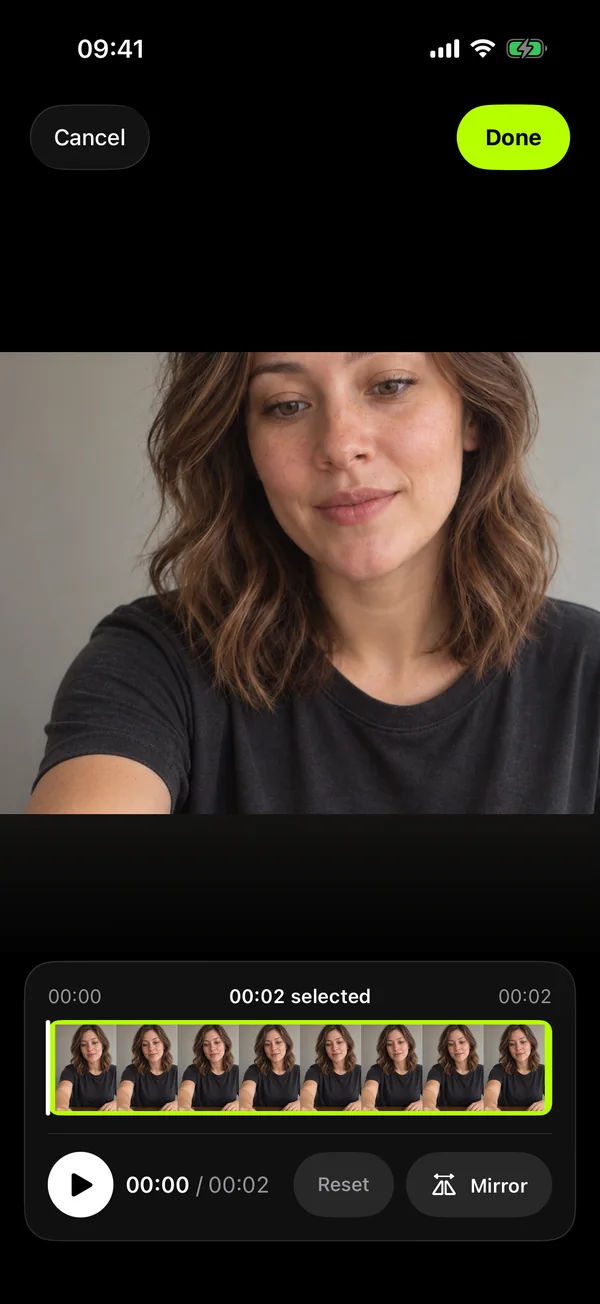
Filter video and audio takes, rename and preview them, trim the start and end or mirror a clip, then share.
Keep the script scrolling in a Picture-in-Picture window while you use another app, such as a video call.
Map Bluetooth page-turner pedals, hardware keyboards and game controllers to play, scroll, speed and paragraph jumps.
Record just your voice while you read, for podcasts and voice-overs, and export it to Files.
While you read or record, the controls step aside so only the text and play/pause remain.
How it works
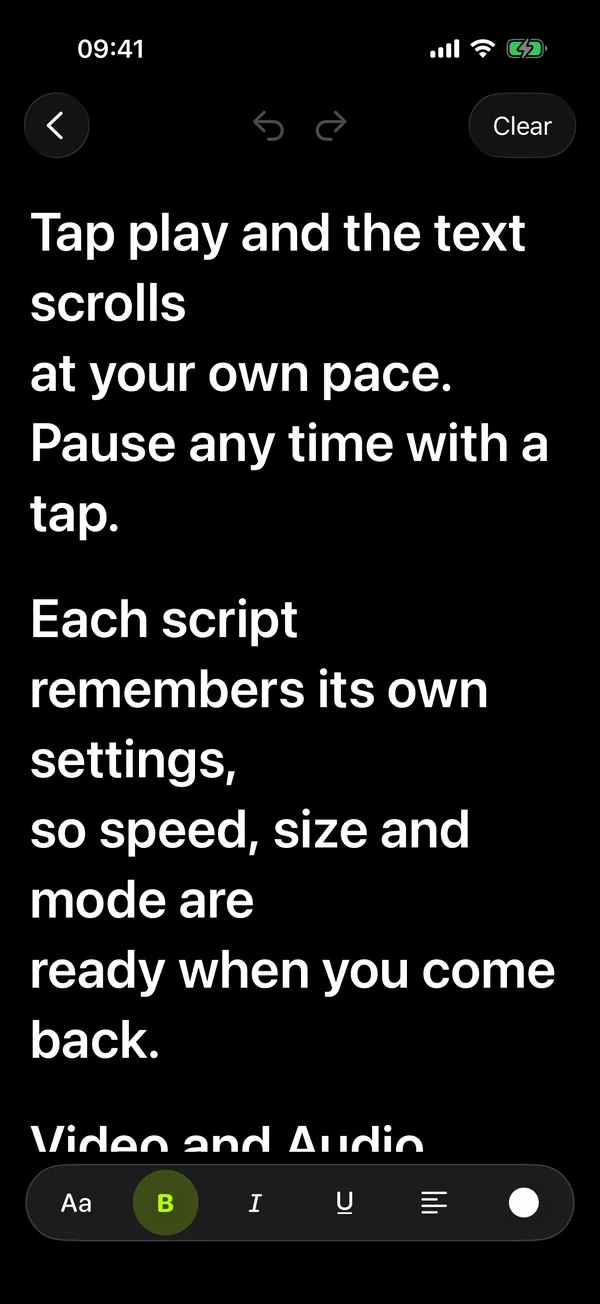
Start in the editor, paste text, or import TXT files and folders.
Choose text size, colour and eye-line, then voice, WPM or Time scrolling.
Press record and keep your eyes near the lens while the script moves with you.
Private by design
Scripts, folders and recordings stay on your phone or tablet. There is no cloud sync, you can start without an account, and the prompter text is hidden from screen sharing by default.
Why SolPrompter
The features people pay extra for elsewhere are part of the core app.
| Feature | Many teleprompter apps | SolPrompter |
|---|---|---|
| Remote control | Often a paid upgrade or a Bluetooth clicker to buy | Free on every plan: a second phone or tablet becomes the remote |
| Voice scrolling | Often reserved for premium plans | Auto mode with free sessions, unlimited with Pro |
| Recorded video | Watermarks on free recordings are common | No watermark and no prompter text in the file |
| Screen sharing | The script can appear when you share your screen | Hidden from screenshots, screen recording and screen sharing |
| Your scripts | An account or cloud storage may be required | Stored on your device; no account needed to start |
| Hardware | Support for pedals and keyboards varies | Keyboards, page-turner pedals and game controllers |
Comparison reflects common patterns in app store listings, not one specific app.
Get early accessWho it's for
Short videos. Big ideas.
Keep the thread of your story for vlogs, Reels, TikToks and YouTube videos.
Lessons, talks and tutorials
Let the script follow your voice and keep your attention on the people listening.
From rehearsal to the real take
Mirror the text for teleprompter glass and hand the pace to a second device.
Free web teleprompter
The free SolPrompter web teleprompter runs in any modern browser with nothing to install. The app for iPhone, iPad and Android adds voice scrolling, remote control and recording.
Questions
A teleprompter app shows your script on a phone or tablet and scrolls it while you speak, so you can look at the camera or your audience instead of memorising every line. SolPrompter adds voice-follow scrolling, a remote from a second device and video recording with the script on screen.
Yes. SolPrompter runs on iPhone, iPad, Android phones and Android tablets. Tap the App Store or Google Play button to join early access and get your invite by email.
Yes. Pair a second phone or tablet by scanning a QR code or entering a 6-digit code, then play, pause, change speed, jump between paragraphs or edit the script from it. The connection is end-to-end encrypted and works over Wi-Fi without internet access. Remote control is free on every plan.
Yes. In Auto mode the text follows where you are speaking, keeps your place when you skip a passage or ad-lib, and stops when you go quiet. If speech recognition isn't available, it scrolls at your measured pace and tells you so. Depending on the device, recognition runs on the device or through Apple's speech service.
Yes. Record with the front or back camera while a movable, resizable prompter box sits over the preview. The video contains no prompter text and no watermark and is saved to Photos. You can also record audio only.
Yes. Flip the text left–right, top–bottom or both so it reads correctly through the glass of a beam-splitter teleprompter rig.
Yes. When you start a new script, tap the AI button and pick a topic such as TV host, weather forecast, live selling or a presentation, or describe the script in up to 2,000 characters. The draft opens in the editor so you can change it before saving. Smart organize in the + menu can also sort your library into folders, using only each script’s title and first 200 characters. Both AI features need an internet connection.
SolPrompter is free to use with an optional Pro plan. WPM and Time scrolling, video and audio recording, mirroring, the floating window and remote control are free for everyone. Voice scrolling and 4K recording include a limited number of free sessions, and Pro removes those limits. Prices are shown in the App Store and on Google Play.
Reading, editing, WPM and Time scrolling, basic recording and your local files work without internet. Signing in, purchases, the AI features and the checks for voice scrolling and 4K sessions need a connection.
Yes. Hardware keyboards, Bluetooth page-turner pedals and game controllers can be mapped to play and pause, scrolling, speed and paragraph jumps.
Scripts, folders, settings and recordings stay on your device. There is no cloud sync and you can start without an account. Videos are also saved to your Photos library.
Yes, in your browser. The free SolPrompter web teleprompter works on any computer today. The app for iPhone, iPad and Android is a separate app with voice scrolling, remote control and recording.
SolPrompter
Get your early-access invite by email. That's it.
Early-access news only. No spam. Privacy policy.