

Teleprompter for YouTube Talking-Head Videos
A teleprompter for YouTube talking-head videos has one job a second-screen scroller cannot do: keep the reading line close enough to the lens that your eyes do not wander while you deliver the hook. YouTube measures how many viewers are still watching after the first 30 seconds. Visible reading in that window is a retention problem, not a cosmetic one. SolPrompter’s Notch Mode shrinks the script onto the camera axis so the saccade stays small.
You do not need beam-splitter glass to start. Paste a script in the browser, put the compact reading window under the webcam, and record the take in the same tab. Hardware-free placement is in teleprompter setup without hardware. Face and posture notes are in how to look natural on camera.
Why eye line is a retention mechanic
On a talking-head video the product is a face. Viewers decide, in seconds, whether that face is talking to them or reading past them. Eyes that scan a full-width paragraph two inches below the lens produce a visible saccade: the gaze ticks left and right, then returns. You can see it on mute. That is not a style preference. It is a trust tell in a format that has almost no other visual information.
YouTube does not publish an “eye contact score.” What it does publish is an Intro metric. In YouTube’s key moments for audience retention help article, Intro is the percentage of the audience still watching after the first 30 seconds. YouTube says a high intro percentage can mean the opening matched the title and thumbnail, and that the content kept people interested. It recommends testing a different opening when that number is weak. The inference — ours, not YouTube’s — is that a talking-head hook which looks like reading is one of the ways an opening fails that test. Lighting and a better title still matter. So does whether the speaker is looking at the lens.
What to do with YouTube’s first 30 seconds
Write the first 30 seconds as if that is the only part that will be watched. Name the problem or the result before you greet the channel. Keep the sentence short enough to say while looking at the lens, not while hunting mid-paragraph. Then record that opening as its own test take and watch it on mute. If the eyes wander, the reading window is too far from the camera or the line is too long.
YouTube’s own guidance for a weak Intro is to change the thumbnail and title so they match the video, and to modify the first 30 seconds. A teleprompter cannot fix a bait-and-switch title. It can stop the opening from looking like a first read. Pair the opening with a script structure from the talking-head video script template if you need a hook / value / close skeleton.
Notch Mode: shrink the reading column onto the lens
A laptop webcam sits on the bezel. A full-screen teleprompter puts the current line in the middle of the display, several degrees below that camera. The eye must travel. Notch Mode is a geometric hack, not a filter: it collapses the script into a compact window you drag next to the notch or webcam so the angular error between word and lens is small. You still glance. The glance is shorter.
- Turn on Notch Mode from the teleprompter toolbar.
- Drag the window until it sits on the lens axis — usually the top center of a laptop, or beside a phone camera in a clamp.
- Narrow the column so you read one or two lines, not a paragraph.
- Raise font size until you can read without leaning in. Leaning reads as strain.
- Record ten seconds, play it back, and move the window until the gaze stop is on the lens.
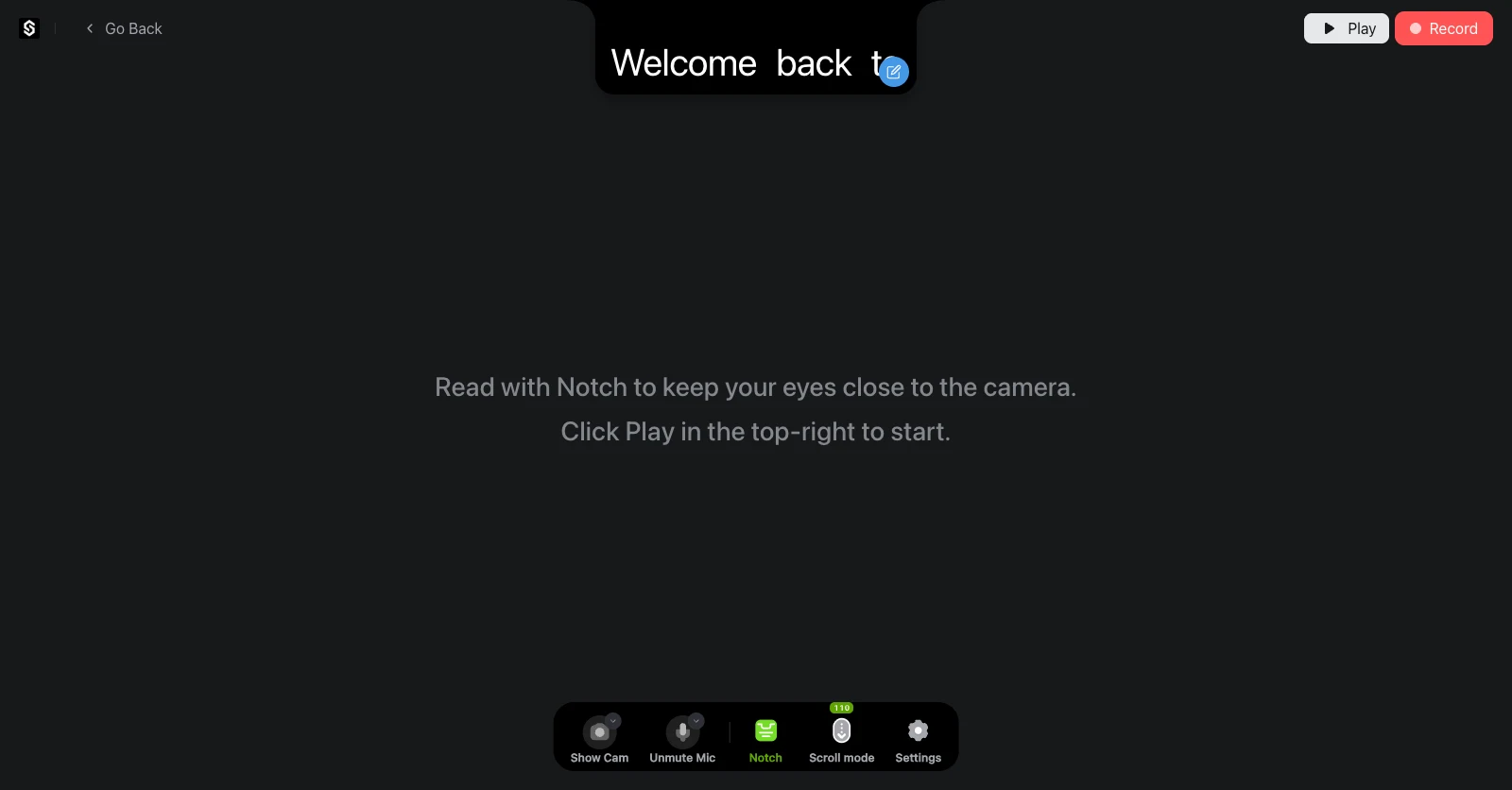
This will not match broadcast glass, where the words sit optically on the lens. It is the practical version for a talking-head desk. If you do have a beam-splitter, use Mirror Mode and put SolPrompter on the monitor in the rig. The guide for both paths is setup without hardware.
Script and scroll for a talking-head take
| Choice | Use it when | Skip it when |
|---|---|---|
| Voice-activated scroll | You pause, emphasize, or add a short aside, and the room is quiet enough for the browser recognizer | Two people talk, the room is loud, or the browser has no Speech Recognition |
| Fixed-speed Auto Scroll | The opening is rehearsed and must hit a duration | You know you will stop to think; a timer will walk away from you |
| Manual or QR remote | You jump between sections, hold up a product, or do not want recognition in the take | You cannot spare a hand or a second device |
| Notch Mode | The camera is a webcam or phone lens on the same device as the script | The script is already on glass in front of the lens |
Voice scroll is usually the better default for a solo YouTube take because your hook pace will not match a WPM slider. It still fails. The failure modes — silence, coughs, improvisation, and a resync that must not jump to line one — are on the voice-activated teleprompter page, with the mode comparison in voice scroll vs fixed-speed teleprompter. Keep Space and a phone remote ready. SolPrompter’s voice follow uses the browser speech recognition API, matches words to the script, and is designed to wait on silence and try to resync. We do not claim it is more reliable than Speakflow.
Record the talking-head take in the same tab
A YouTube talking-head workflow dies when the prompter is in one window and the camera is in another. You either look at the wrong rectangle or you run a screen recorder over a script you never wanted in the file. SolPrompter records in the browser with the script: Full HD and 4K on supported devices, files stored locally, no SolPrompter watermark on export. You can start a take without an account. Free 4K recording is limited to five takes per week; Pro and Max remove that quota. The download itself is not watermarked.
Free Auto Scroll is limited; Pro and Max unlock unlimited Auto Scroll. Prices and trials are on pricing. Local export is not the paid gate. A native app is coming soon. If you only needed a speed slider on a second monitor, CuePrompter is simpler — that comparison is SolPrompter vs CuePrompter.
A YouTube desk setup without special hardware
You need a laptop or phone, a browser, a script, and a way to keep the device still. Raise the camera to eye height. Put the Notch window on the lens. Light your face from in front, not from a window behind you. Do a ten-second mute review before the real take. If you use a second phone as a QR remote, put it in your lap so your recorded hand does not reach for the recording device.
Controls, remote pairing, and recording settings are in the SolPrompter teleprompter guide. Looking at the lens, not the preview of your own face, is the habit in how to look natural on camera.
Who should skip a browser talking-head teleprompter
Skip it if you already shoot through broadcast glass with an operator: a dedicated scrolling window is enough, and CuePrompter may be the smaller tool. Skip voice scroll if the room cannot give you a clean mic. Skip in-browser recording if your camera is a cinema body and SolPrompter is only the prompt — in that case use Notch Mode or a second monitor, and record in the camera. SolPrompter is the default for a creator who is alone with a webcam and a YouTube upload, not for a three-person set.
Do I need a teleprompter for YouTube?
You need one when the wording has to be right and you cannot look down at notes without breaking eye line. You do not need one for a vlog that is supposed to search for the next sentence. A talking-head explainer, a sponsor read, a tutorial with steps in order, and a course lecture are the formats where a teleprompter earns its keep — if the reading line sits near the lens. A script on a second monitor across the desk often looks worse than notes on a stick.
Will a teleprompter hurt YouTube retention?
A badly placed teleprompter will. If the first 30 seconds look like reading, YouTube’s Intro metric — still watching after those 30 seconds — is the report that will show it, mixed in with title mismatch and a slow hook. YouTube does not attribute that drop to eye line. Treat a mute playback of the opening as your own check. Move the script to the lens, shorten the first sentences, and test again. The retention article to cite is YouTube’s, not a roundup’s invented percentage.
Can I record YouTube videos in SolPrompter?
Yes. Paste the script, set Notch Mode next to the camera, choose voice or Auto Scroll, and record in the same tab at Full HD or 4K when the device supports it. The file stays on your device. There is no SolPrompter watermark on export, and you do not need an account to start a take. Upload to YouTube from the downloaded file. Unlimited Auto Scroll is the paid limit, not the export.
Open SolPrompter, paste the talking-head script, put Notch Mode on the lens, and record the first 30 seconds as a test. If you need unlimited Auto Scroll, see pricing. Keep the local file either way.